


LED Display Buying Guide 2026: 5 Mistakes That Cost You Time, Money, and Reputation
Meta Description:
Buying an LED display? Avoid these 5 costly mistakes: wrong pixel pitch, ignored refresh rate, mismatched protection, hidden costs, and poor support. Smart tips from ASRAM.
You're About to Spend Thousands on an LED Screen. Don't Get It Wrong.
You've saved the budget. You've cleared the wall space. You're ready to buy an LED display for your venue, stage, or rental fleet.
But here's the thing: most buyers make at least one of these five mistakes. And each mistake costs real money - in repairs, downtime, lost bookings, or a damaged reputation.
The good news? Every mistake is avoidable. This guide walks you through the five most common pitfalls and exactly how to steer clear of them.
If you're an event planner, club owner, rental company, or touring DJ - this is your cheat sheet.
Mistake #1: Choosing the Wrong Pixel Pitch
The Problem
You see two screens side by side. One has a finer pixel pitch. You assume it's "better" and pay 50%–80% more. But when installed, your audience can't tell the difference because they're standing too far away.
Or the opposite: you choose a pitch that's too coarse, and up-close viewers see visible pixels - making your stage look cheap.
The Rule of Thumb
| Viewing Distance | Recommended Pixel Pitch |
|---|---|
| 1.5 – 3 metres | P1.8 – P2.5 |
| 3 – 8 metres | P2.5 – P3.9 |
| 8+ metres | P4 – P6 |
For most indoor DJ booths, clubs, and mid-size stages, the audience is 2–5 metres away. That means P2.5 to P3.9 covers over 90% of real-world scenarios.
P2.5 & P3.9 indoor rental LED cabinets

How to Avoid This Mistake
Measure your venue's viewing distance before you ask for a quote
Don't let a salesperson sell you a finer pitch "just because it's better" - ask them to prove the visible difference at your distance
Choose a supplier who asks about your venue first, not one who pushes the most expensive option
What ASRAM Does
We don't sell you the most expensive screen. We help you select the right pixel pitch for your specific venue and budget - because a screen you can afford and that performs well is better than one you overpaid for.
Mistake #2: Ignoring Refresh Rate
The Problem
Your screen looks fine to the naked eye. But when your audience films the show and posts it to Instagram, TikTok, or YouTube - it flickers. Scan lines roll across the screen. The video looks amateur, and that content stays online forever.
Why? Low refresh rate.
What You Need to Know
| Refresh Rate | Result |
|---|---|
| Below 1920Hz | Severe flicker - unusable for video recording |
| 1920Hz | Entry-level - visible flicker in some shots |
| 3840Hz | Sweet spot - clean under most cameras, great value |
| 7680Hz | Broadcast gold standard - overkill for 95% of DJ/club use |
The truth about refresh rates:
3840Hz delivers clean, flicker-free video for Instagram, TikTok, YouTube, and most live streaming - which covers 95% of DJ and club events.
7680Hz is only necessary for ultra-slow-motion broadcast cameras, high-end TV production, and critical live broadcasts where every frame is analysed.
For a nightclub, DJ booth, or music festival stage, 3840Hz is the smart money. It gives you professional results without paying for performance your audience will never notice.
How to Avoid This Mistake
Write the minimum refresh rate into your purchase contract
Don't accept "high refresh rate" as a vague promise - get a number
Ask yourself honestly: "Will I ever need broadcast-grade 7680Hz?" If the answer is no, 3840Hz is your sweet spot
What ASRAM Does
Our DJ-series panels deliver 3840Hz refresh rate as standard - clean, flicker-free visuals under smartphones, DSLRs, and most professional cameras. It's the refresh rate that 95% of events actually need, without the unnecessary broadcast premium.
Mistake #3: Mismatched Protection for Your Environment
The Problem
You bought an outdoor-rated screen for your indoor club - and paid extra for weatherproofing you'll never use.
Or worse: you bought an indoor screen and placed it in a semi-outdoor area - and rain or humidity killed it within months.
The Simple Rule
| Environment | What You Actually Need |
|---|---|
| Indoor club / stage / DJ booth | Standard indoor-rated screen - no IP rating required |
| Outdoor festival / open-air stage | IP65-rated screen with weatherproofing |
| Rental / touring (mix of indoor & outdoor) | IP65-rated screen - you need protection for both |
How to Avoid This Mistake
Be honest with yourself: where will this screen actually be used?
If it's indoor only, don't pay for outdoor features you'll never touch
If you're renting out to different venues, invest in protection - because your screen will face all kinds of conditions
What ASRAM Does
ASRAM focuses on indoor professional applications - DJ booths, nightclubs, stages, and event spaces. We don't sell you outdoor-grade protection you don't need. Our indoor screens are lighter, easier to install, and priced without the outdoor premium.
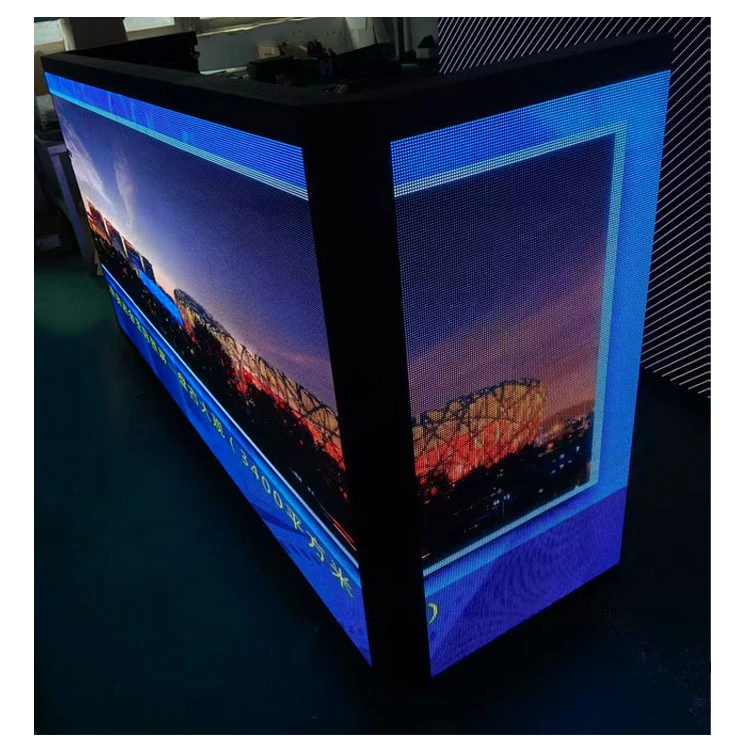
Mistake #4: Fixating on Purchase Price, Ignoring Total Cost of Ownership
The Problem
You found a screen that's 30% cheaper than the competition. Great deal - or so you think.
Two years later, you've replaced three modules, paid for two emergency service calls, and lost revenue from a weekend outage. Your "cheap" screen is now more expensive than the one you passed on.
What You Should Actually Compare
| Cost Factor | What to Ask |
|---|---|
| Purchase price | Obvious - but don't stop here |
| Shipping weight | Heavier cabinets = higher freight costs every time you move them |
| Installation labour | Complex rigging = more hours, more payroll |
| Repair frequency | How often will modules fail? (Ask for data) |
| Repair cost | Can you swap modules on-site, or does it need to go back to the factory? |
| Downtime loss | How much revenue do you lose per day your screen is down? |
How to Avoid This Mistake
Ask each supplier: "What's the 5-year total cost of ownership for this screen?"
If they can't answer, they either don't know or don't want you to know
Look for modular design that allows on-site repairs - not factory returns
What ASRAM Does
Our modular SMD design lets your team swap a faulty module on-site, in minutes - no shipping, no weeks of waiting, no lost shows. We build screens that are reliable and easy to maintain, so your total cost stays low over the life of the product.
Mistake #5: Choosing a Supplier, Not a Partner
The Problem
The screen arrives. It looks great. Then a problem comes up - a dead pixel, a wiring question, a software glitch.
You email your supplier. No reply. You call. Voicemail. You're stranded - and your show is in two days.
What a Good Supplier Looks Like
Pre-sales: Asks about your venue, your event type, your budget - not just your order size
Technical support: Available when you need them, not when it's convenient for them
Customisation: Can adapt a standard screen to your specific needs
After-sales: Has a clear warranty policy and spare parts availability
How to Avoid This Mistake
Before you sign, ask: "What's your typical response time for tech support?"
Check their case studies - do they have real projects like yours?
Ask about spare parts - can you buy them easily, or will you be waiting for months?
What ASRAM Does
We're not just selling screens. We're building long-term relationships. From pre-sales consultation to after-sales support, we're here when you need us. No disappearing acts. No unanswered emails. Just reliable partnership.
H2: Your 5-Step Pre-Purchase Checklist
Before you sign any quote, run through this quick checklist:
Define your environment - Indoor? Outdoor? Fixed? Rental?
Measure viewing distance - Then choose pixel pitch accordingly
Set your refresh rate floor - 3840Hz is the smart choice for most indoor DJ/club use
Calculate 5-year TCO - Don't just look at the sticker price
Vet the supplier - Real case studies? Responsive support? Clear warranty?
Ready to Get It Right the First Time?
Don't leave your visual investment to chance. Thousands of dollars are on the line - and so is your reputation.
Contact ASRAM today and let our team help you:
Select the right screen for your specific venue
Get a transparent, no-surprise quote
Understand your total cost before you buy
Plan for installation and long-term maintenance